
Features
Built for charter captains. Everything here works today, unless it says coming soon.
Sign UpStart a post
- From your catalogPick a product, new or on sale, and get a draft.
- From one ideaType a sentence and get a draft. Add your own photo to use in its image.
- From blogs you followFollow your blog, a friend’s blog or an industry blog, and repost in your own voice.
- From saved ideasType a theme, get post ideas, and save the ones you like for later.
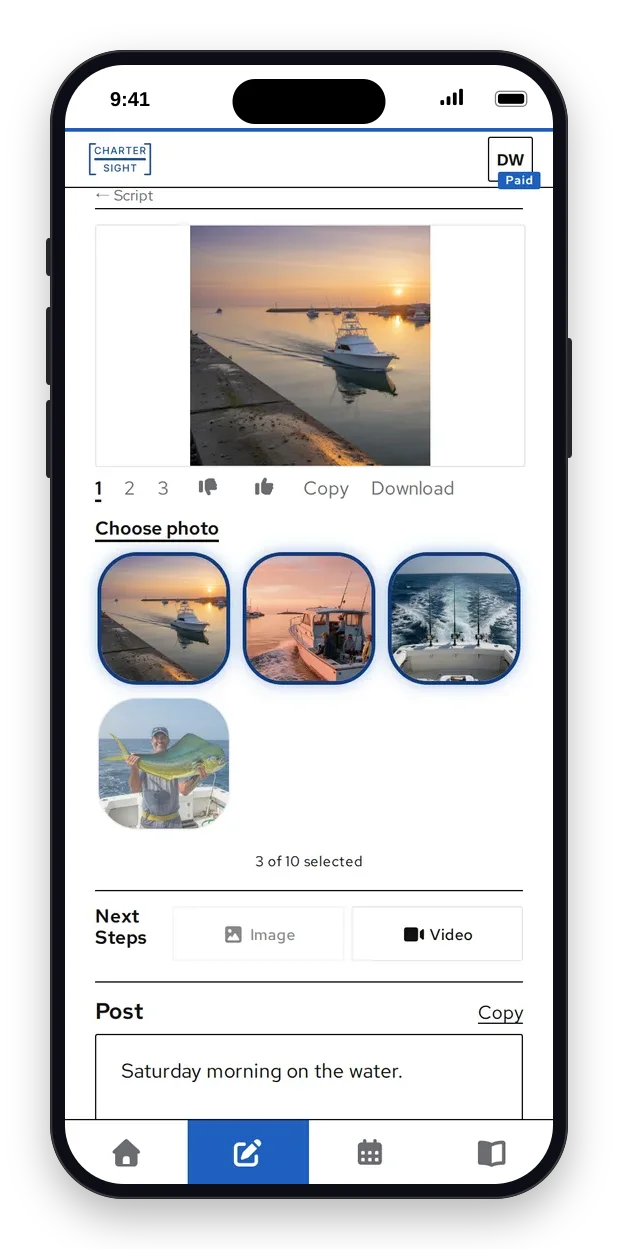
Make it look right
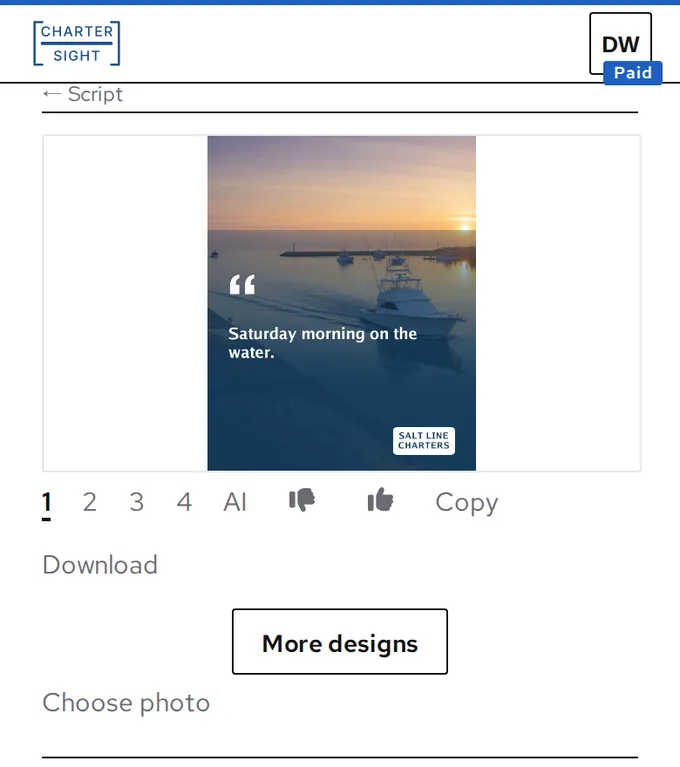
- ImagesAn image for each script, sized for Instagram, or a carousel of photos. Designed cards from your own photos on every plan, AI images on Paid and Pro.
- Your own photoUse your own photo or the original product photo instead.
- Short videosTurn an image into a short video that starts from it.
- StoryboardA timed shot list with scene pictures, for when you want to film it yourself.
Plan your week
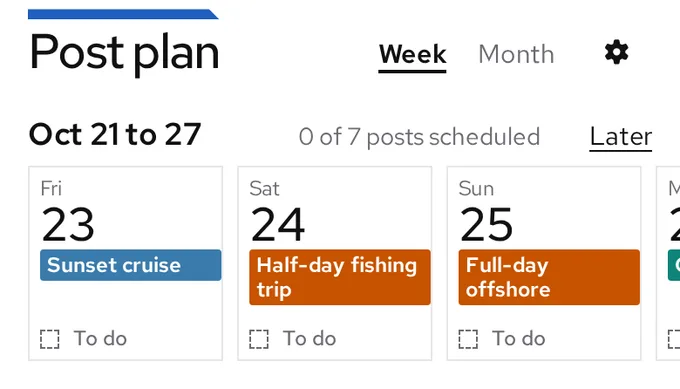
- Posting calendarSet how many posts you want each day, and pick what each one is about.
- Walk the weekGo through the week one day at a time and approve each post.
- Schedule and changePost now or later, then reschedule or cancel a scheduled post.
- Google CalendarRead-only. Add your events in Google, and we pull them in.
- Event recapsRecap posts 1, 3 and 7 days after each event, using its new photos and pointing to your next event.
- FlyersMake a flyer for an event from your own photo, square or portrait. Pro downloads it without our mark.
Stay in charge
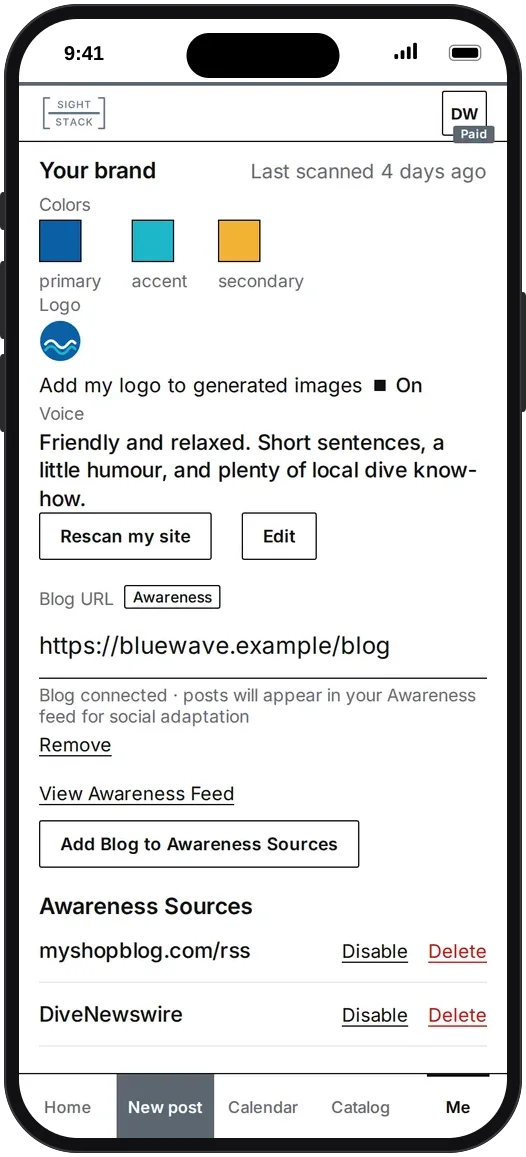
- Your brandYour logo, colors and a summary of your voice, read from your website. Fix the colors and the summary if they are off.
- Your teamInvite your staff to help. Authorized Posting, Not Automatic.
- Thumbs up and downRate each draft, with a reason. Your ratings shape the styles you get next.
See what went out
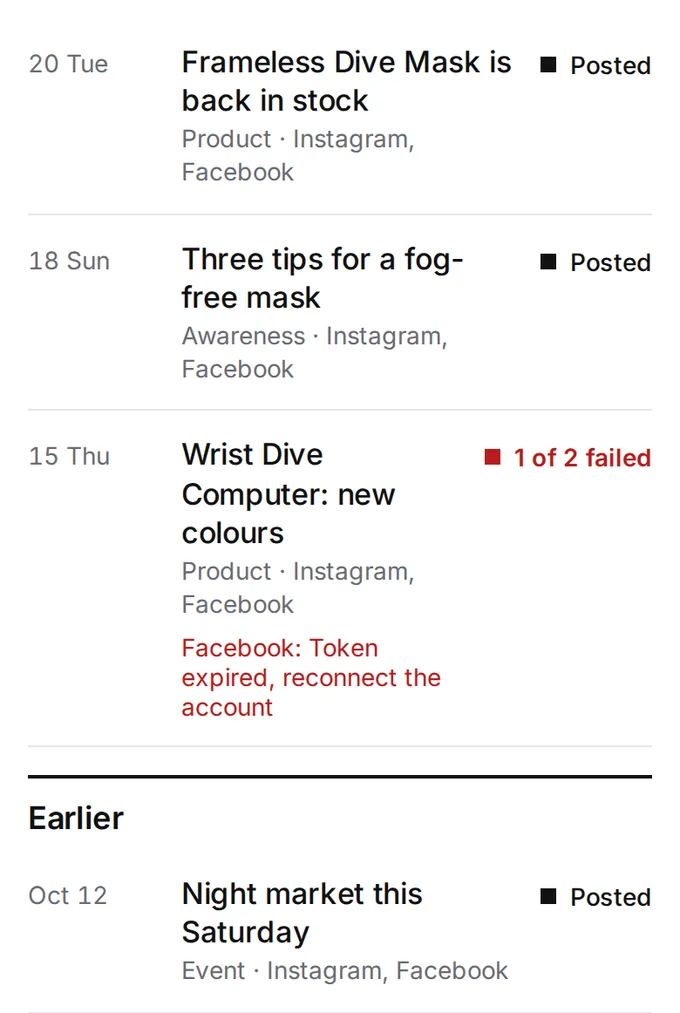
- Post historyEvery post, with its status on each account, so a failed post never hides.
- UsageSee how many scripts, images and videos you have left.
- Post insightsComing soon: see which posts get people talking, and make more of what works.
For charters
- Your tripsAdd an upcoming trip by hand, then pick it for a draft.
- Weather postsA conditions post for your harbor, for today or the night before.
- Open seatsComing soon: pick a FareHarbor departure with room left and get a draft.
- Your fleetComing soon: add each boat you run, with its own details.
Your voice
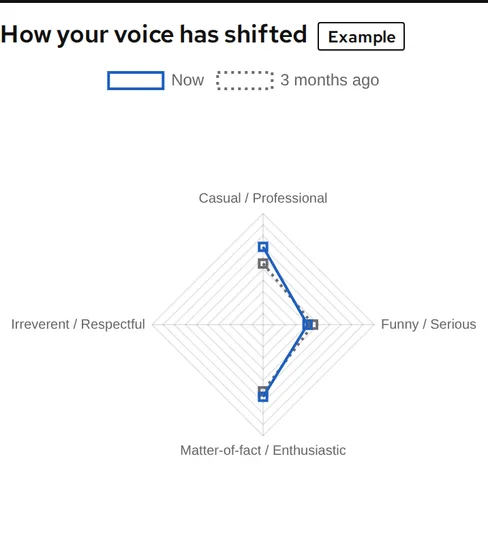
- It learns your voiceEvery thumbs up, thumbs down and edit teaches it your voice. The Voice page shows how it has shifted.
Sign Up
Nothing posts until you approve it. We will email you a link to set your password.